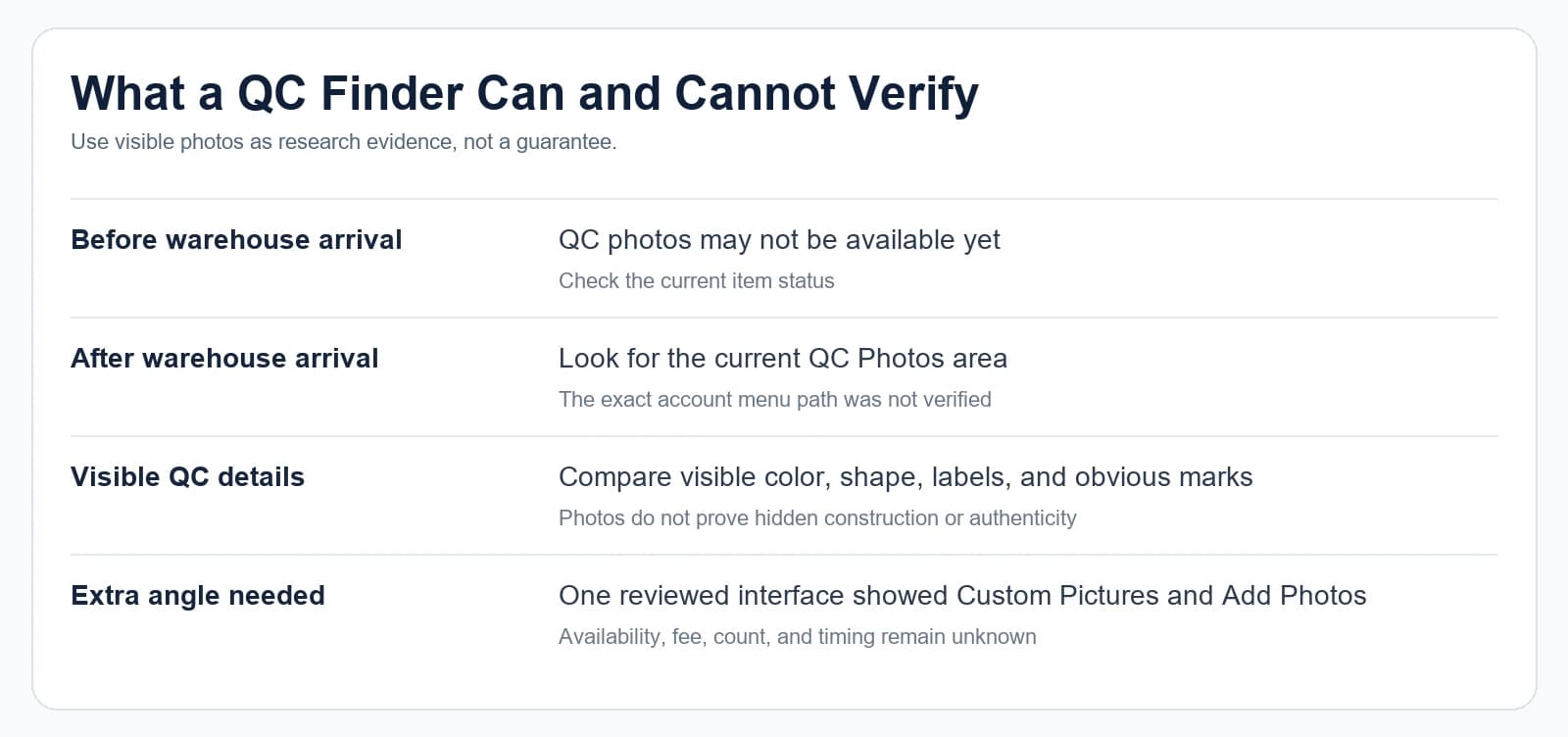
Start with the public Oopbuy or marketplace link and identify its source and itemID. Then open the original item page and compare the visible option, source, and image date before relying on a photo. This page is a guide, not a live lookup tool: a missing public result does not prove that no QC photos exist.
Use the image, source record, option labels, and date as separate checks.
What an Oopbuy QC Finder Means
Start with the complete public Oopbuy or marketplace URL. Identify the source and itemID, open the original item page, and compare the option, image source, and date before relying on a photo. This page is a guide, not a live lookup tool.
The word “finder” can describe different tools. One page may collect public product images. Another may match an item identifier with warehouse images. A spreadsheet may label a photo column as QC without explaining where the images came from. These pages do not provide the same evidence.
Start by identifying the photo type:
Seller listing photos show how a seller presents a product.
CuriCart product photos support product research and may sit beside SKU, size, style, listed-price, and source-link details.
Warehouse-issued QC photos document visible aspects of an item recorded at the warehouse stage.
Community images may come from another user, another order, or an unknown date.
A Manual Link Check
Use this short process when you have a public link but no confirmed finder result. First identify the source and itemID in the URL. Next open the matching original item page and compare the title, selected option, and source record. Then check whether any public photo shows a date and the same option. If no public photo is available, record that as no verified result and continue with the current item record instead of guessing.
For example, the public path `https://oopbuy.com/product/weidian/7594881694` contains the source marker `weidian` and itemID `7594881694`. That lets you look for the matching source record at `https://weidian.com/item.html?itemID=7594881694`. The URL alone does not show a QC photo, prove that one exists, or confirm the current option.
Read the source marker and itemID from the public URL.
Open the corresponding source page and compare the record.
Check the visible option, photo source, and date; keep an empty result as unconfirmed.
Why People Search This
Searchers use terms such as “oopbuy qc finder,” “oopbuy qc photos,” and “oopbuy qc viewer” when they need more than a product thumbnail. They want to locate useful images, connect them to the correct item, and understand whether the result shows a listing photo, a warehouse image, or an image with no clear source.
Community discussions show the same practical problems. People ask where photos appear, why a result is missing, and how to find a more useful angle. The advice in those discussions can vary, so current menu labels, image options, charges, and timing still need to be confirmed on the live page.
A public Oopbuy product page has displayed photo-related labels including “QC Photos” and “Custom Pictures.” That makes it important to distinguish image areas instead of treating every photo result alike. Controls may differ by product, account, or current interface.
Step 1: Confirm the Item Reference
A finder result is only useful when you can connect it to a stable product reference.
Look for the original marketplace URL or a numeric item identifier. Preserve the complete link. Do not rely only on a product nickname, cropped screenshot, or spreadsheet row number. Generic names can point to several products, and sellers can use similar photos.
If the result shows an itemID, compare it character by character with the source record. A single different digit means you are reviewing a different record. If no itemID or source URL appears, treat the match as incomplete.
Step 2: Check Where the Images Came From
Look for a clear source label beside the images. The page should tell you whether the images are seller photos, warehouse photos, user submissions, or another type of reference.
Then check whether the page provides a date. An older image may still help you understand visible construction, but it cannot show the current state of a seller listing or a later item.
Avoid inferring image origin from the background alone. A neutral table, ruler, or warehouse-style backdrop may suggest an inspection setting, but appearance is not reliable provenance.
Step 3: Match the Product Option
The same source item can contain several colors, sizes, materials described by the seller, or style options. A finder result should identify the option shown.
Compare these visible records:
If the image set does not identify the selected option, it may still be useful for general visual research. It should not be treated as evidence for a specific variation.
Product title or model wording.
Color or style label.
Size or SKU label.
Visible shape and design.
Accessories or packaging shown.
Step 4: Inspect Only What the Images Show
Use the images to answer narrow visual questions.
Possible observations include overall shape, color placement, printed text, visible stitching, hardware, sole pattern, label layout, or obvious marks. Zooming into a small file cannot create information that was never captured.
Write down the result as an observation:
Avoid conclusions such as “perfect quality” or “confirmed material.” Images cannot prove hidden construction, comfort, durability, exact composition, or authenticity.
“The size label is readable.”
“The heel area is outside the frame.”
“The left side shows a visible mark.”
“The color looks darker under this lighting.”
Step 5: Compare the Finder With the Source Page
Open the source record separately. Compare the title, itemID, listed price, options, and seller images with the finder result.
Differences are not automatically errors. The source page may have changed after the image was created. A finder may show another option. A spreadsheet may have shortened the title. Record each difference instead of forcing the pages to agree.
If the source page is unavailable, current option data and seller-page state remain unknown.
Step 6: Check Coverage Before Trusting Absence
A finder may not contain every product, every option, or every image set. An empty result does not prove that no QC photos exist.
Check whether the tool states its coverage, data source, and last update. If those details are absent, treat “no result” as “not found here.” Do not turn it into a platform-wide conclusion.
Common Mistakes
Treating every clean photo as QC
Studio photos and warehouse photos can both use plain backgrounds. Use source labels and item context, not visual style alone.
Ignoring the selected SKU
A photo of the correct model but the wrong color or size may answer only general design questions.
Assuming the newest result belongs to your item
A recent date does not connect an image to your order. Match the item identifier and option.
Using a finder as proof of platform policy
A third-party page cannot establish current Oopbuy menus, fees, photo rules, or service timing.
Treating “not found” as “does not exist”
Coverage may be partial. Check the current item record and source page before drawing a conclusion.
What Can Change
Finder coverage, source links, seller listings, product options, and page labels can change. A public result may be removed or replaced. A marketplace item may become unavailable. A third-party tool may stop updating without a clear notice.
Recheck the original source page on the day you make a decision. If the evidence matters to a specific warehouse item, use the current item record rather than an old public image set.
Current Oopbuy photo access rules, account paths, standard image counts, extra-image options, and charges were not established for this article. Confirm those details on the live Oopbuy interface.
Related product research
Browse related product categories and examples while checking this question.
Is an Oopbuy QC finder the same as the Oopbuy warehouse photo area?
Not necessarily. “QC finder” may refer to a third-party search tool, spreadsheet, or public gallery. The warehouse photo area is connected to an item record in the platform interface. Check the source and item identifier before treating the images as warehouse-issued QC photos.
Can an Oopbuy QC finder prove that an item is good?
No. It supports comparison of details that are actually visible. It cannot prove hidden condition, comfort, durability, material composition, authenticity, or the state of a different item.
Why does a finder show no result for my link?
The tool may have incomplete coverage, the itemID may not match, the source page may have changed, or the images may not be public. “No result” means the tool did not return a match. It does not prove that no warehouse images exist.
Should I trust a finder result without a source URL?
Treat it as limited visual context. Without a source URL or stable item identifier, you cannot reliably connect the images to the claimed marketplace record or selected option.
Can product examples help me compare QC details?
Yes. Product examples can help you practise comparing photos, SKU labels, sizes, and source-page context. They should not replace the current item record you are checking.